
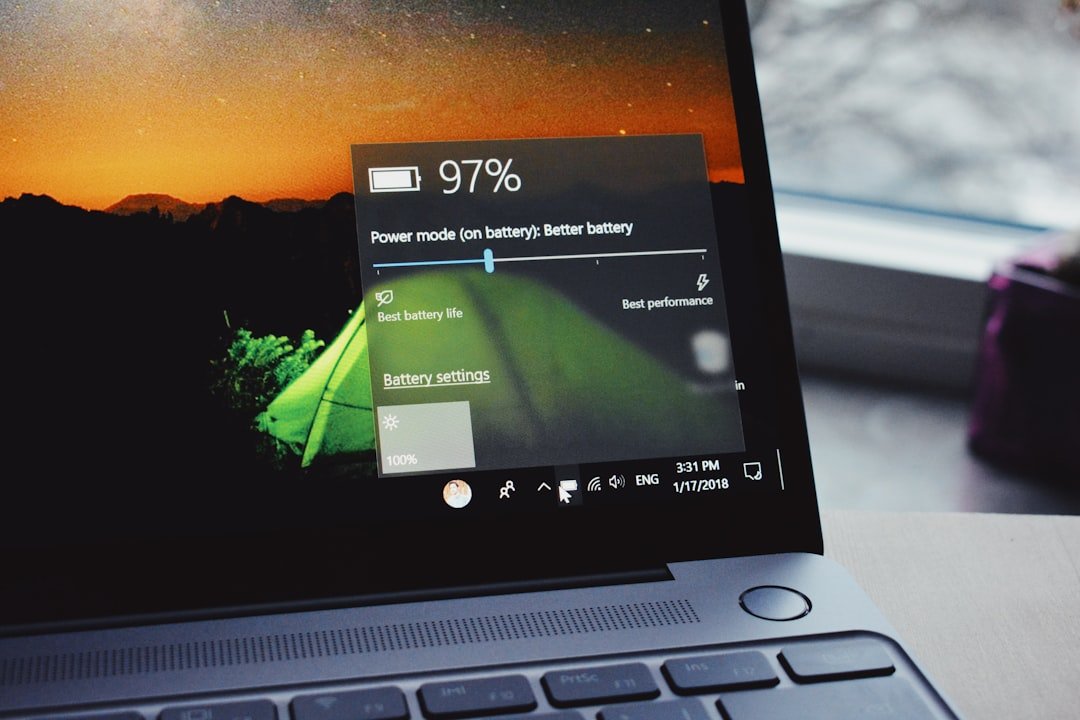
In an era where remote work and digital nomadism have become the standard for professionals across the United States, the question of what laptop has the best battery life is no longer just a technical inquiry—it is a necessity for productivity. A device that fails to survive a cross-country flight or a long day at a coffee shop can significantly derail a project. As noted in research on battery technology advancements, managing energy density is a complex challenge that manufacturers are currently racing to solve.
Whether a student is searching for top-rated devices for academic success or a creative professional is looking for a reliable machine, understanding the limitations of modern hardware is crucial. Achieving a long-lasting laptop battery requires a delicate balance between high-performance computing power and efficient energy consumption.
Why Battery Longevity Matters
- Mobility: It empowers users to work from anywhere without the constant stress of searching for a wall outlet.
- Hardware Longevity: Batteries with better thermal management and efficient discharge cycles tend to degrade more slowly over time.
- Workflow Consistency: Consistent power delivery ensures that the processor maintains peak performance without throttling, which is essential for heavy workloads.
Understanding the underlying mechanics of power management—such as how National Institute of Standards and Technology (NIST) guidelines emphasize energy efficiency in consumer electronics—helps consumers make informed decisions. When evaluating what laptop has the best battery life, users must look beyond marketing claims and consider the actual architecture of the machine, from the efficiency of the chipset to the power-hungry nature of the display.
Key Takeaways
Identifying what laptop has the best battery life is essential for professionals, students, and travelers who rely on mobile computing. Modern advancements in semiconductor architecture and power management have shifted the industry standard, making all-day endurance a realistic expectation rather than a luxury.
Here are the critical factors to consider when evaluating power efficiency:
- Silicon Architecture: Devices utilizing ARM-based chips (like Apple’s M-series or the latest Qualcomm Snapdragon X Elite) generally offer superior power-per-watt efficiency compared to traditional x86 architecture.
- Workload Dependency: High-intensity tasks such as video editing or 3D rendering will deplete batteries exponentially faster than standard productivity tasks like word processing or web browsing. According to research on energy efficiency, hardware power states play a significant role in long-term consumption.
- Display Technology: The screen is often the most significant power consumer. Choosing a laptop with an energy-efficient IPS panel or a well-optimized OLED display can drastically extend runtime.
- The “All-Day” Benchmark: Most modern ultrabooks are now marketed as having “all-day” battery life, which generally translates to 10 to 15 hours of real-world use. For those pursuing rigorous academic paths, selecting the right machine is vital, as seen in these top-rated laptops for engineering students.
Critical Performance Factors
When investigating what laptop has the best battery life, users should pay close attention to these technical nuances:
- Battery Capacity (Wh): Measured in Watt-hours (Wh), this indicates the raw storage of the battery. However, a larger battery does not always equal more time if the processor is inefficient.
- OS Power Management: Both Windows and macOS have evolved to include aggressive background app throttling and intelligent power modes that prioritize energy savings during low-battery states.
- Connectivity and Peripherals: Keeping peripherals like external hard drives or high-brightness RGB keyboards active will significantly reduce the time a device remains unplugged. The Department of Energy provides additional context on how electronics consumption impacts total power demand in modern environments.
Ultimately, the best device is one that balances portability with a high-capacity battery, ensuring that users can remain productive without constantly hunting for an electrical outlet.
Understanding Battery Ratings and Real-World Usage
When consumers begin the search to determine what laptop has the best battery life, they often encounter a wide gap between manufacturer claims and actual daily performance. Manufacturers provide these estimates based on controlled testing environments, while users operate their devices in unpredictable, multi-tasking scenarios. Understanding this discrepancy is essential for anyone evaluating the best laptops for engineering students or professionals who require reliable, long-lasting power.
How Manufacturers Test Battery Capacity
Most companies determine their advertised battery runtime through standardized tests that rarely mirror modern user behavior. These tests often include:
- Video Loop Tests: A local video file is played at a fixed brightness level (usually around 150 nits) until the system shuts down.
- Web Browsing Simulation: Automated scripts navigate through a specific list of popular websites to mimic moderate usage.
- Idle Conditions: Some tests measure how long a device stays powered on while performing no active tasks.
According to research from the National Institute of Standards and Technology (NIST), lithium-ion battery performance can fluctuate based on environmental factors, such as ambient temperature and internal thermal management. Consumers should treat these ratings as “best-case scenarios” rather than guaranteed runtimes.
Why Your Workflow Impacts Battery Drain
The answer to what laptop has the best battery life changes drastically depending on how the device is utilized. Several variables contribute to “hidden” energy consumption:
- CPU-Intensive Tasks: Running high-demand applications, such as video editing software or complex simulations, forces the processor to draw maximum wattage.
- Background Processes: Synchronizing cloud storage, scanning for viruses, or maintaining multiple open browser tabs consumes significant power in the background.
- Display Settings: High screen brightness remains one of the primary culprits for rapid battery depletion.
- Wireless Connectivity: Constantly searching for Wi-Fi signals or maintaining high-speed Bluetooth connections drains power continuously.
For those interested in the underlying chemistry that governs these power cycles, The Electrochemical Society (ECS) provides extensive documentation on how charge cycles affect total capacity over time. Users who prioritize longevity should focus on laptops that demonstrate high efficiency during mixed-use workflows rather than solely relying on the manufacturer’s maximum battery rating.
Apple MacBook Air and Pro: Efficiency Kings
When analyzing What Laptop Has The Best Battery Life, the conversation almost invariably leads to Apple’s silicon-based lineup. By transitioning away from third-party processors, Apple has optimized the integration between hardware and software, allowing their machines to achieve industry-leading endurance that often exceeds the needs of the average remote worker or student. If you are researching high-performance hardware for academic or professional projects, these MacBooks frequently set the benchmark for power efficiency.
The M3 Chip Advantage
The introduction of the M3 chip family represents a significant leap in laptop power efficiency. Unlike traditional processors, these chips utilize a unified memory architecture and a highly efficient 3-nanometer process technology.
- Instruction Set Efficiency: The M3 architecture executes tasks with significantly less thermal output, which directly translates to lower energy consumption.
- System-on-Chip (SoC) Design: By placing the CPU, GPU, and RAM on a single die, the system reduces the distance data must travel, saving precious milliwatts of power.
- Advanced Power States: The OS can throttle power to specific cores almost instantaneously, ensuring that energy is only spent when necessary.
According to research into semiconductor efficiency, these advancements are the primary reason modern devices are capable of running for 18 to 22 hours on a single charge.
Balancing Power and Portability
Choosing What Laptop Has The Best Battery Life often feels like a trade-off between performance and weight. However, Apple manages this balance by leveraging their proprietary OS optimization to ensure that high-performance tasks do not result in a “cliff” where battery percentage drops rapidly.
Key benefits of their current design include:
- Consistent Performance: Unlike many Windows laptops that throttle CPU speed when disconnected from AC power, MacBooks maintain consistent performance levels regardless of the power source.
- Display Integration: The ProMotion displays dynamically adjust refresh rates, which is a critical technical standard for maintaining energy efficiency during static tasks like reading or writing.
- Thermal Management: The thermal efficiency of the MacBook Air—which is fanless—means no energy is wasted powering active cooling systems during light to moderate workloads.
For those requiring maximum uptime, the MacBook Air serves as the gold standard for thin-and-light devices, while the MacBook Pro handles intensive tasks while still offering battery longevity that is rarely matched by x86-based competitors.
Windows Laptops That Last All Day
For years, users seeking the pinnacle of portability often looked exclusively toward Apple, but the landscape has shifted dramatically. If you are researching what laptop has the best battery life within the Windows ecosystem, you will find that modern advancements in hardware efficiency have finally closed the gap. Manufacturers are now prioritizing power efficiency to ensure that professional-grade machines can easily survive an entire workday away from a wall outlet. For those entering specialized fields, finding a machine that balances endurance with performance is essential, as seen in these top-rated laptops for engineering students.
The Rise of ARM-Based Processors
The most significant shift in Windows battery performance comes from the integration of ARM-based architecture. Much like the architecture found in mobile devices, these chips operate with a focus on low power consumption without sacrificing productivity.
- Always-On Connectivity: ARM-based laptops often support instant-on capabilities, similar to a smartphone, which prevents unnecessary battery drain while the device is in sleep mode.
- Thermal Efficiency: Because these processors generate less heat, they require less active cooling. Less fan usage directly translates to a more stable and longer-lasting battery.
- Unified Memory: By integrating memory directly onto the chip, data travel distance is reduced, which conserves energy during intensive tasks.
According to research from the National Institute of Standards and Technology, optimizing energy consumption at the hardware level is critical for long-term sustainability and device longevity.
Intel Core Ultra and Power Management
Intel has responded to the competitive market by introducing the Core Ultra series, which features a dedicated Neural Processing Unit (NPU) and enhanced power management controllers. These processors are designed to handle background tasks more intelligently.
- Dynamic Voltage Scaling: The system automatically adjusts power delivery based on the current workload, preventing the CPU from drawing excess energy during simple tasks like web browsing.
- AI-Driven Optimization: By utilizing the NPU to offload AI-related background processes, the main CPU remains idle more often, significantly extending the time between charges.
- OS Integration: Modern Windows 11 updates have been specifically tuned to communicate better with these processors, creating a more cohesive power management ecosystem.
When evaluating what laptop has the best battery life, users should pay close attention to whether the device utilizes these newer Intel architectures or ARM chips. According to data provided by the U.S. Department of Energy, improvements in semiconductor efficiency are the primary drivers for modern advancements in portable electronics. By choosing a device with advanced power management, users ensure they remain productive throughout their busiest days.

The Impact of Display Tech on Runtime
When evaluating What Laptop Has The Best Battery Life, the display is often the most significant power-hungry component users overlook. Modern screens are brilliant and color-accurate, but those features come at a cost to total runtime. Understanding how different screen technologies interact with your hardware is essential when browsing top-rated laptops for engineering students or professional workstations. Research from Energy.gov emphasizes that electronic displays are among the primary drivers of residential and office energy consumption, a principle that applies directly to the mobile computing hardware in your backpack.
OLED vs. IPS Panels
The choice between OLED and IPS (In-Plane Switching) display technology dictates how efficiently a device handles power.
- OLED Efficiency: OLED panels are self-emissive, meaning each pixel produces its own light. When displaying true black, these pixels turn off completely, which can significantly save power in dark-mode environments.
- IPS Consistency: IPS panels use a constant backlight. While they generally consume more power than a dark-mode OLED, they often maintain more consistent power draw regardless of the content being displayed.
- The Trade-off: Users seeking energy-efficient displays often gravitate toward OLED for its ability to conserve power during low-light tasks, whereas IPS remains the standard for static, bright-background productivity work.
Refresh Rates and Dimming Features
High refresh rates and brightness settings act as force multipliers for battery drain. According to studies on digital display optimization, increasing the frequency at which a screen refreshes directly correlates to higher energy requirements for the GPU and display driver.
- Variable Refresh Rate (VRR): Many modern laptops now use adaptive sync to drop refresh rates to 60Hz or lower during static tasks, preserving battery life significantly compared to a fixed 120Hz or 144Hz rate.
- Brightness Scaling: The backlight intensity is the single largest factor in battery depletion. Reducing screen brightness by even 20% can extend a laptop’s runtime by an hour or more in real-world scenarios.
- Dimming Algorithms: Sophisticated power management software now dims the screen during periods of inactivity, a vital feature for those asking What Laptop Has The Best Battery Life for long-haul travel or extended off-grid work.
By balancing panel type with intelligent refresh rate management, manufacturers are finding new ways to maximize how long a user can remain productive away from a wall outlet.
Choosing a Laptop for Remote Work
For professionals operating outside of a traditional office environment, power longevity is often the deciding factor in productivity. Determining what laptop has the best battery life requires looking past manufacturer marketing claims to understand how specific remote workflows—like multi-tab research, cloud-based applications, and constant communication—drain resources. Whether you are searching for high-performance workstations for technical fields or lightweight ultrabooks for travel, selecting a machine that supports an eight-hour workday without an outlet is essential for modern business success.
Battery Life for Video Conferencing
Video conferencing is one of the most taxing activities for any portable computer. Because platforms like Zoom or Microsoft Teams rely on continuous camera input, real-time data streaming, and simultaneous audio processing, they consume significantly more power than standard document editing.
- Processor Load: During video calls, the CPU works overtime to encode and decode video streams.
- Hardware Acceleration: Modern chips with dedicated neural engines or video encoders help mitigate drain, but they still generate heat, which triggers cooling fans.
- Network Utilization: Constant connectivity to Wi-Fi is a major contributor to power consumption. To maintain a long-lasting battery during back-to-back meetings, users should consider disabling unnecessary background sync tasks.
- External Peripherals: Plugging in external webcams or high-fidelity microphones draws additional current from the laptop’s internal power supply.
According to research from the National Institute of Standards and Technology (NIST), energy efficiency in computing is heavily influenced by how effectively the hardware manages power states during active data transmission.
Staying Connected Without a Charger
Remote workers who prioritize mobility often find themselves working from cafes, airports, or client sites where finding a wall outlet is not always guaranteed. To ensure the user stays productive until the end of the day, their hardware must be optimized for sustained, cord-free performance.
- Prioritize Efficiency: Look for laptops verified by programs like ENERGY STAR, which helps identify products that meet strict energy efficiency criteria.
- Display Optimization: High-resolution panels are beautiful, but they consume more power. Lowering the brightness to 50% or enabling dark mode can extend runtime by up to 20% in many scenarios.
- Local vs. Cloud Workflow: Storing essential files locally on the SSD instead of constantly streaming from cloud storage can reduce the energy required for constant Wi-Fi polling.
- Hardware Choices: Devices built with ARM-based architectures or modern power-efficient silicon typically outperform older processors when it comes to “idle” battery drain, which is critical when a worker steps away from their desk for short periods.
Ultimately, the goal is to choose a device that keeps up with the demands of a modern workflow. By focusing on machines with integrated power management features, professionals can stop worrying about their remaining percentage and focus on their actual work.

Gaming Laptops: A Different Breed
When users begin researching what laptop has the best battery life, they often discover that high-performance gaming rigs sit at the opposite end of the spectrum. Unlike ultra-portables designed for productivity, gaming laptops are engineered for raw computing power, often sacrificing efficiency to drive high-fidelity graphics and demanding CPU tasks. While these machines excel at rendering complex scenes, they are rarely the go-to choice for users who prioritize unplugged longevity. For those considering specialized hardware for intensive tasks, it is worth exploring resources like this comprehensive guide on laptops for engineering students to understand how thermal and power constraints affect different laptop classes.
Why Gaming Laptops Drain Faster
The primary reason gaming laptops struggle with battery runtime is their inherent focus on thermal headroom and power draw. To maintain peak performance, these devices utilize:
- High-TDP Processors: CPUs and GPUs in gaming laptops often operate at higher thermal design power (TDP) levels, requiring significant wattage.
- Active Cooling Systems: Heavy-duty fans and vapor chambers consume auxiliary power just to keep the internal components from overheating.
- High-Performance Displays: Many gaming panels feature fast refresh rates, which require more energy to drive pixels rapidly.
Research into thermal management and energy efficiency suggests that when components are pushed to their limits, the exponential increase in power consumption often outpaces the gains in performance. Consequently, even a laptop with a massive 99Wh battery—the legal limit for most airline travel according to the Federal Aviation Administration—will see rapid depletion under heavy gaming loads.
Switching Between Dedicated and Integrated Graphics
A critical feature for managing power on gaming machines is the ability to toggle between hardware components. Most modern gaming laptops employ a technology often referred to as a MUX switch or hybrid graphics:
- Integrated Graphics (iGPU): When performing light tasks like web browsing or document editing, the system shuts down the power-hungry discrete GPU and relies on the processor’s integrated chip.
- Dedicated GPU (dGPU): When the system detects a 3D application or resource-intensive software, it kicks in the dedicated graphics card for high-performance rendering.
- Automatic Optimization: Software utilities allow the laptop to intelligently switch between these states. Users who neglect these settings often find their battery life halved, as the discrete card continues to draw power even when it is not needed.
By manually forcing the system to prioritize integrated graphics, users can eke out more time, though they will never reach the efficiency levels found in thin-and-light ultrabooks. When evaluating what laptop has the best battery life, one must always consider the balance between these power-hungry dedicated components and the necessity of software-level power management.
Top Tips to Extend Your Laptop Battery
While deciding What Laptop Has The Best Battery Life often comes down to internal hardware, user habits play a massive role in actual daily performance. Even if a user purchases one of the best laptops for engineering students, failing to maintain proper power management will inevitably lead to a premature shutdown. By adjusting system behavior and monitoring resource-heavy processes, owners can significantly prolong their runtime between charges.
Optimizing OS Power Settings
Modern operating systems provide robust tools to manage energy consumption. According to Energy.gov, small adjustments in how electronics handle power can lead to significant cumulative savings and better hardware longevity.
- Enable Battery Saver Mode: Activate this setting when the charge drops below 20%. It automatically restricts background activity and lowers screen brightness to save power.
- Adjust Display Settings: High screen brightness is the primary culprit for rapid discharge. Keep it at a moderate level or utilize “Adaptive Brightness” to let the sensor adjust based on ambient light.
- Set Aggressive Sleep Timers: Ensure the laptop enters “Sleep” or “Hibernate” mode after just a few minutes of inactivity.
- Modify Power Plans: In Windows, selecting the “Best Power Efficiency” mode throttles CPU performance slightly, which is often unnoticeable during casual tasks but saves significant energy.
Managing Background Applications
Background processes are silent battery killers. Applications that constantly sync data or use high-performance hardware—like discrete graphics cards—can drain a battery even when the user is not actively interacting with them.
- Identify Power-Hungry Apps: Use the Task Manager (Windows) or Activity Monitor (macOS) to view which applications are consuming the most CPU and GPU resources.
- Limit Startup Programs: Many apps automatically launch at startup. Disable unnecessary ones to keep the initial power draw low.
- Close Unused Tabs: Web browsers like Chrome or Edge are notorious for high power usage if dozens of tabs are open. Utilize tab-suspension extensions to freeze inactive pages.
- Watch for Peripheral Drain: Disconnect external drives, USB mice, or high-draw peripherals when they are not in use. These devices pull energy directly from the laptop’s power cell, which can degrade battery health over time, a concept detailed in comprehensive research regarding lithium-ion battery longevity.
By proactively managing these settings, users can squeeze every possible minute of productivity out of their device, regardless of What Laptop Has The Best Battery Life on paper.
Hardware Upgrades and Battery Replacement
When determining What Laptop Has The Best Battery Life, users often overlook the reality that all lithium-ion batteries have a finite lifespan. While selecting a high-efficiency machine is the first step, understanding how to manage physical hardware limitations is crucial for long-term productivity. Whether you are a professional researcher or someone looking for top-tier engineering student laptops, maintaining hardware health is essential for consistent uptime.
When to Replace an Aging Battery
Every laptop battery degrades over time, eventually leading to reduced capacity. Recognizing the signs of a failing battery can prevent unexpected shutdowns during critical tasks.
- Sudden Percentage Drops: If the battery level jumps from 40% to 10% in minutes, the internal cells are likely failing.
- Physical Swelling: If the chassis begins to bulge or the trackpad becomes unresponsive, the battery may be expanding due to chemical degradation. This is a safety concern that requires immediate professional attention according to CPSC safety guidelines.
- Reduced Runtime: If a laptop that once lasted eight hours now struggles to hit three, it is a clear indicator that the battery’s charge retention has severely diminished.
- OS Alerts: Modern operating systems like Windows and macOS often display a “Service Recommended” notification when the battery’s maximum capacity falls below 80%.
Understanding Charge Cycles
A common misconception is that a battery’s lifespan is measured in years; in reality, it is measured in charge cycles. A charge cycle is completed when the user has used a total amount of power that equals 100% of the battery’s capacity—not necessarily all at once.
- Usage Pattern: If a user consumes 50% of the battery today and recharges it fully, then uses 50% tomorrow and recharges it again, that counts as one cycle, not two.
- Capacity Decay: Most modern laptop batteries are designed to retain 80% of their original capacity after 500 to 1,000 full charge cycles.
- Scientific Context: Researchers at the U.S. Department of Energy emphasize that thermal stress—frequent exposure to extreme heat—can accelerate the degradation of these cycles significantly.
To keep a device running optimally, avoid keeping the battery at 100% for extended periods while plugged into a high-wattage power source. If a laptop allows for “battery health management” or “smart charging” in the BIOS/UEFI, it is highly recommended to enable these features to limit the maximum charge to 80%, which can drastically extend the overall lifespan of the hardware.
The Future of Battery Technology
As portable computing demands increase, the quest to determine What Laptop Has The Best Battery Life is driving significant innovation in material science and power efficiency. Researchers are moving beyond traditional lithium-ion limitations to create hardware that can last for days rather than hours. According to findings from The Department of Energy, advancements in energy density are critical for the next generation of mobile computing, ensuring that users can stay productive longer without reaching for a power adapter. For those searching for durable laptops for engineering students, these upcoming changes represent a massive leap forward in reliability.
Solid-State Batteries on the Horizon
The industry is currently pivoting toward solid-state technology, which promises to revolutionize how we define power capacity. Unlike current liquid electrolyte batteries, solid-state designs use a solid separator, offering several key benefits:
- Higher Energy Density: They pack more power into smaller, lighter frames.
- Enhanced Safety: The solid design is significantly less prone to overheating or fire risks.
- Longevity: These batteries can endure more charge cycles before experiencing significant capacity degradation.
By stabilizing the chemistry of the cell, manufacturers hope to solve the inherent limitations found in current hardware, potentially redefining the standards for what laptop has the best battery life by the end of the decade.
Faster Charging Standards
While raw capacity is essential, the speed at which that capacity is replenished is equally important. New developments in gallium nitride (GaN) chargers and proprietary fast-charging protocols are changing the landscape.
Key advancements include:
- Reduced Heat Generation: High-speed charging often causes thermal stress, but modern circuitry is becoming more efficient at managing these fluctuations.
- Universal Standards: The push for standardized USB-C Power Delivery (PD) ensures that faster charging is becoming more accessible across different device ecosystems.
- Smart Charging Logic: Advanced software now throttles input speeds as the battery approaches 80% to protect long-term cell health, a practice supported by academic research on battery life cycles.
These improvements mean that even if a user exhausts their power during a heavy workload, they can achieve a “meaningful charge” in minutes rather than hours, effectively mitigating the anxiety surrounding daily battery performance.

Frequently Asked Questions
Navigating the market to determine what laptop has the best battery life can be a daunting task for any user. Understanding the nuances of hardware efficiency, usage patterns, and maintenance is essential for maximizing the longevity of a device. Below are the most common inquiries regarding laptop power management and performance.
Can I leave my laptop plugged in constantly?
Modern laptops are designed with sophisticated power management circuits that prevent overcharging. Once the battery reaches 100%, the system effectively runs off the AC adapter.
- Recommendation: If a user is performing intensive tasks, such as those found in this comprehensive guide for engineering students, keeping the device plugged in is recommended.
- Pro Tip: Some manufacturers offer “Battery Health Management” software that limits charging to 80% to extend the chemical lifespan of the lithium-ion cells, which is a best practice for users who are permanently stationed at a desk.
How long should a typical laptop battery last?
The average lifespan of a modern laptop battery is typically between 300 to 500 full charge cycles. According to data from the U.S. Department of Energy, how a user manages their energy consumption significantly impacts these metrics.
- General Expectation: Most users will notice a decrease in total runtime after 2–3 years of regular usage.
- Longevity: If a device is kept in a cool environment and not allowed to drop to 0% frequently, the capacity remains higher for a longer duration.
Does high brightness drain the battery significantly?
Yes, the display is often the largest power draw on any mobile computer.
- The Science: High brightness levels require more power for the backlight (in IPS/LCD panels) or higher voltage for individual pixels (in OLED panels).
- Efficiency: Lowering brightness by just 20–30% can often yield an extra hour of usage. Many modern operating systems include energy-saving modes that automatically dim the screen to preserve power, which is a critical feature when researching what laptop has the best battery life for travel.
Are third-party chargers safe for my laptop?
Using a third-party charger is generally safe, provided the equipment meets safety standards set by organizations like the National Institute of Standards and Technology.
- Voltage Matching: Users must ensure the charger provides the correct voltage and at least the minimum wattage required by the laptop.
- Certification: Always look for reputable brands that carry safety certifications (e.g., UL or ETL labels). Cheap, uncertified chargers may lack proper surge protection and heat management, posing a risk to the laptop’s motherboard.
Conclusion: Choosing What Laptop Has The Best Battery Life
Determining what laptop has the best battery life is no longer a one-size-fits-all endeavor. With rapid advancements in processor architecture and display efficiency, modern users have more freedom than ever to work untethered. While the answer often depends on individual workflows, prioritizing power-efficient silicon and smart display management remains the gold standard for portable computing.
Final Selection Criteria
To make an informed decision, buyers should evaluate these critical factors:
- Processor Architecture: ARM-based chips (like Apple Silicon or Snapdragon X Elite) currently offer the highest performance-per-watt efficiency in the industry.
- Workflow Demands: Students or remote workers who need to handle heavy tasks should consult resources like this guide on top-tier engineering laptops to ensure their machine balances power with endurance.
- Display Technology: Choosing an IPS panel over OLED can provide a significant boost to your laptop runtime if you spend long hours in brightly lit environments.
Why Context Matters
Ultimately, a laptop’s endurance is only as good as its environment. According to research on energy efficiency, hardware power consumption can fluctuate wildly based on background application management and ambient temperature. Users who want to maximize their battery longevity should avoid extreme temperatures and strictly monitor background processes that drain resources.
Summary Checklist for Buyers
When finally deciding what laptop has the best battery life, keep these final points in mind:
- Prioritize Unified Memory and ARM chips for the best mobile efficiency.
- Check independent test results rather than manufacturer marketing claims.
- Invest in portable power banks that support USB-C Power Delivery (PD) to extend your range during travel.
- Review academic or environmental data regarding lithium-ion battery health to ensure your chosen hardware supports long-term capacity retention.
By balancing these technical considerations, any user can find a machine that provides reliable, all-day performance without needing to hunt for an available power outlet.